C++虚指针和虚函数表

C++实现多态的方式是通过虚指针和虚函数表

具体来说,当访问一个虚函数时,通过访问vptr,再加上一个偏移获取函数的指针。

子类的vtable相当于父类vtable的拷贝,然后替换掉表中被重写的虚函数的地址为子类的该函数地址。
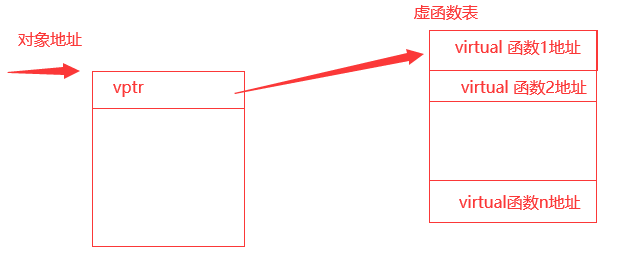
image-20231006224237967.png

代码

#include<iostream>
#include<vector>

class A
{
public:
    A(){
        Print();
    }
    virtual void FuncA(){}
    virtual void Print()
    {
        uint64_t* vptr = (uint64_t*)(*((uint64_t*)this)); // 取虚指针
        std::cout << "A::vptr:      " << vptr <<  std::endl; // 输出虚指针
        std::cout << "A::FuncA:    " << (void*)(&A::FuncA) << std::endl; // 输出A::FuncA地址
        std::cout << "A::Print:    " << (void*)(&A::Print) << std::endl; // 输出A::Print地址
        std::cout << "A::vtable[0]: " << (void*)(vptr[0]) << std::endl;  // 输出虚函数表第一个函数的地址
        std::cout << "A::vtable[1]: " << (void*)(vptr[1]) << std::endl;  // 输出虚函数表第二个函数的地址
    }
};

class B: public A
{
public:
    B():A(){
        Print();
    }
    virtual void Print()
    {
        uint64_t* vptr = (uint64_t*)(*((uint64_t*)this));
        std::cout << "B::vptr:      " << vptr <<  std::endl;
        std::cout << "B::FuncA:     " << (void*)(&B::FuncA) << std::endl;
        std::cout << "B::Print:     " << (void*)(&B::Print) << std::endl;
        std::cout << "B::vtable[0]: " << (void*)(vptr[0]) << std::endl;
        std::cout << "B::vtable[1]: " << (void*)(vptr[1]) << std::endl;
    }
};

int main()
{
    B b;
    return 0;
}

输出结果

A::vptr:      0x4020d8
A::FuncA:     0x40121c
A::Print:     0x401228
A::vtable[0]: 0x40121c
A::vtable[1]: 0x401228
B::vptr:      0x4020b8
B::FuncA:     0x40121c
B::Print:     0x40135a
B::vtable[0]: 0x40121c
B::vtable[1]: 0x40135a

子类执行父类构造函数时能正确调用父类的虚函数

A::vptr: 0x4020d8

B::vptr: 0x4020b8

先执行A的构造函数,此时虚指针会被赋值为A类的虚指针,调用的为父类的虚函数

再执行B的构造函数,此时虚指针会被赋值为B类的虚指针,调用的为子类重写的虚函数

即使重写了父类的虚函数,在执行父类构造函数时调用虚函数,调用的为父类的虚函数而不是子类。保证虚函数能够正确被调用

单继承情况下,vptr验证

A::vptr: 0x4020d8

B::vptr: 0x4020b8

头个8字节为虚指针,子类的虚指针不同于父类的虚指针

A::FuncA: 0x401228
A::Print: 0x401234
A::vtable[0]: 0x401228
A::vtable[1]: 0x401234

B::FuncA: 0x401228
B::Print: 0x401366
B::vtable[0]: 0x401228
B::vtable[1]: 0x401366

虚指针指向vtable,函数地址与定义顺序一致

从虚函数地址表可以看出,没被重写的方法函数地址没有变化,被重写的函数地址发生了变化
牛顿迭代法

如果求 f(x) = 0, 求根
那么就有x(n+1) = x(n) - (f(x(n))) / f'(x(n)),可以由几何意义理解

如求根号2
则可以设 f(x) = x^2 - 2
f'(x) = 2x
x(n+1) = x(n) - (x(n)^2 - 2) / (2x(n))

cpp代码


#include <bits/stdc++.h>

float newton_iter(float x, float(*f)(float), float(*f_)(float), float eps = 1e-6){
    float xn = x; // 初始化
    float gx;
    int i = 0;
    printf("x(%d) = %f\n", i++, xn);
    while (std::abs(gx = f(xn)) > eps)    {
        float xn_1 = xn - gx / f_(xn);
        xn = xn_1;
        printf("x(%d) = %f\n", i++, xn);
    }
    return xn;
}

int main(){
    auto f = [](float x)->float{
        return x * x - 2;
    };
    auto f_ = [](float x)->float{
        return 2*x;
    };
    std::cout << newton_iter(2, f, f_) << std::endl;
    return 0;
}

环境

腾讯云centos 7

安装nginx、php


yum -y install nginx
yum -y epel-release
yum -y install https://rpms.remirepo.net/enterprise/remi-release-7.rpm 
yum -y install yum-utils 
yum-config-manager --enable remi-php74
yum -y install php  php-cli php-fpm php-mysqlnd php-zip php-devel php-gd php-mcrypt php-mbstring php-curl php-xml php-pear php-bcmath php-json php-redis

下载typecho和解压


wget https://github.com/typecho/typecho/releases/latest/download/typecho.zip
mkdir -p /www/typecho # 记住这个路径
unzip typecho.zip -d /www/typecho/

配置php和nginx


# 添加用户,假设用deploy部署
useradd deploy

# vim /etc/nginx/nginx.conf
# 注意用户和路径修改为自己的
user deploy; # ============= 注意用户 ==============

worker_processes auto;
error_log /var/log/nginx/error.log;
pid /run/nginx.pid;

# Load dynamic modules. See /usr/share/doc/nginx/README.dynamic.
include /usr/share/nginx/modules/*.conf;

events {
    worker_connections 1024;
}


http {
    include       mime.types;
    default_type  application/octet-stream;
    client_body_temp_path /tmp/;

    #access_log  logs/access.log  main;

    sendfile        on;
    #tcp_nopush     on;

    #keepalive_timeout  0;
    keepalive_timeout  65;

    #gzip  on;


    server {
        listen 1234; # ======= 端口1234 ==================
        # server_name your_domain.com;  # 替换为您的域名
        root /www/typecho/;  # ============= 注意路径 ==============

        if (!-e $request_filename) {
            rewrite ^(.*)$ /index.php$1 last;
        }

        location / {
            index index.php index.html index.htm;

            set $path_info "";
            set $real_script_name $fastcgi_script_name;
            if ($fastcgi_script_name ~ "^(.+?\.php)(/.+)$") {
                set $real_script_name $1;
                set $path_info $2;
            }
            fastcgi_param SCRIPT_FILENAME $document_root$real_script_name;
            fastcgi_param SCRIPT_NAME $real_script_name;
            fastcgi_param PATH_INFO $path_info;
        }

        location ~ .*\.php(\/.*)*$ {
            include fastcgi.conf;
            fastcgi_pass  127.0.0.1:9000;
        }
    }
}

vim /etc/php-fpm.d/www.conf
# 修改user和group
# user = deploy
# group = deploy

文件权限设置


chown -R deploy:deploy /www
chown -R deploy:deploy /var/log/nginx
chown -R deploy:deploy /var/cache/nginx
chown -R deploy:deploy /usr/share/nginx/html
vim /etc/logrotate.d/nginx
# create 0640 nginx root 修改为 create 0640 deploy deploy

防火墙设置

如果配置了firewalld


firewall-cmd --add-port=12345/tcp --zone=public --permanent
firewall-cmd --reload

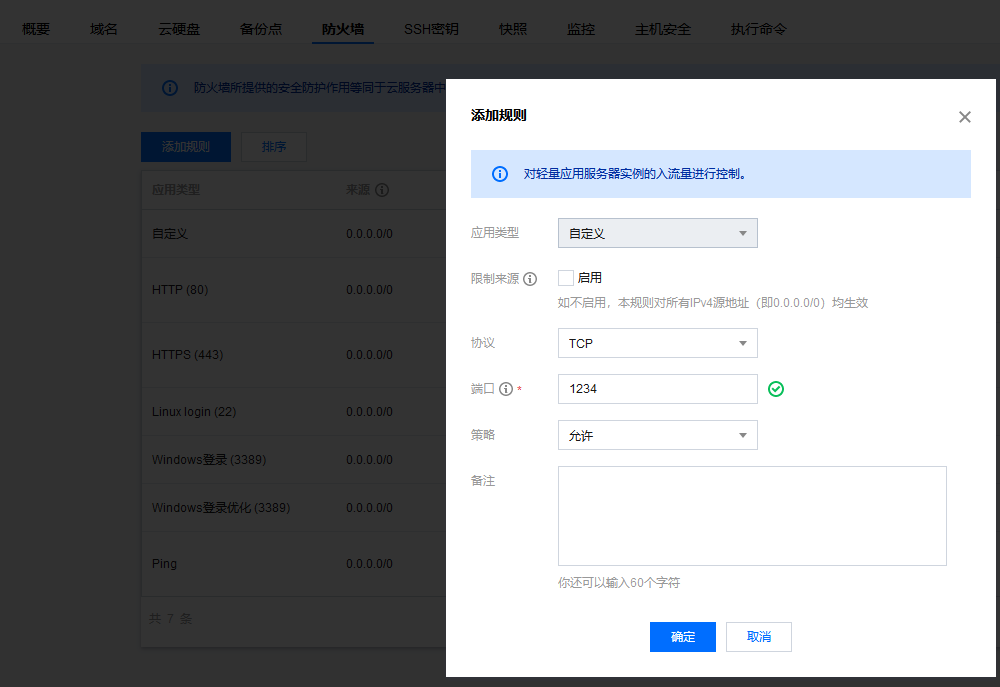
同时确保云服务商安全组开放,参照腾讯云

image-20230507002725288

MaraiaDB配置

实际上支持更多的DB,可以参照官网。mysql的配置与mariadb大致相同

# 安装
yum -y install mariadb-server

mysql_secure_installation
# 推荐设置,密码自己输
# Enter current password for root (enter for none): 
# Set root password? [Y/n] y
# New password: 
# Re-enter new password: 
# Remove anonymous users? [Y/n] y
# Disallow root login remotely? [Y/n] n
# Remove test database and access to it? [Y/n] y
# Reload privilege tables now? [Y/n] y 

# 创建一个database, 名字叫blog
mysql -u root -p

# MariaDB [mysql]> CREATE DATABASE blog DEFAULT CHARACTER SET utf8mb4 COLLATE utf8mb4_unicode_ci;
# 如果需要远程登录,可以执行这个
# MariaDB [mysql]>update user set host='%' where user='root' limit 1; 

启动服务


systemctl start nginx 
systemctl enable nginx 
systemctl start php-fpm
systemctl enable php-fpm

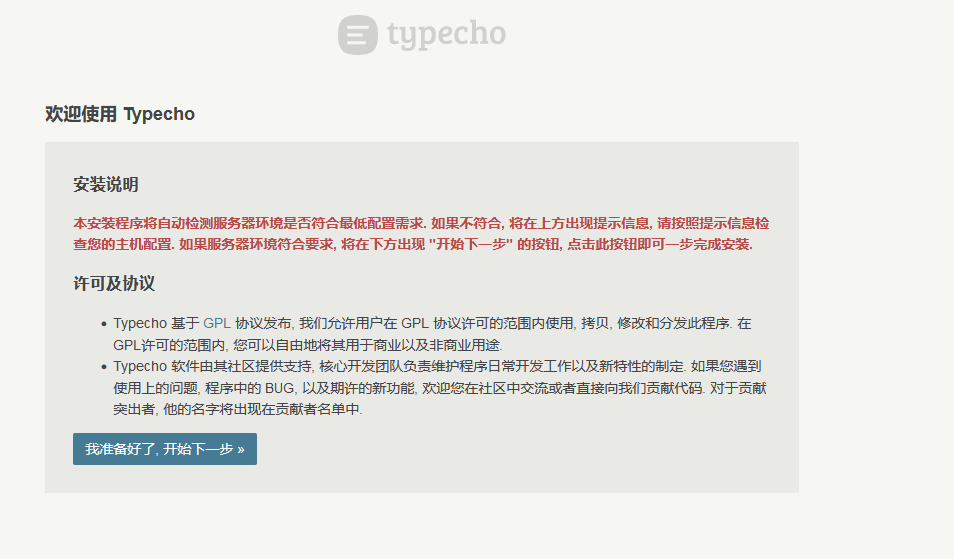
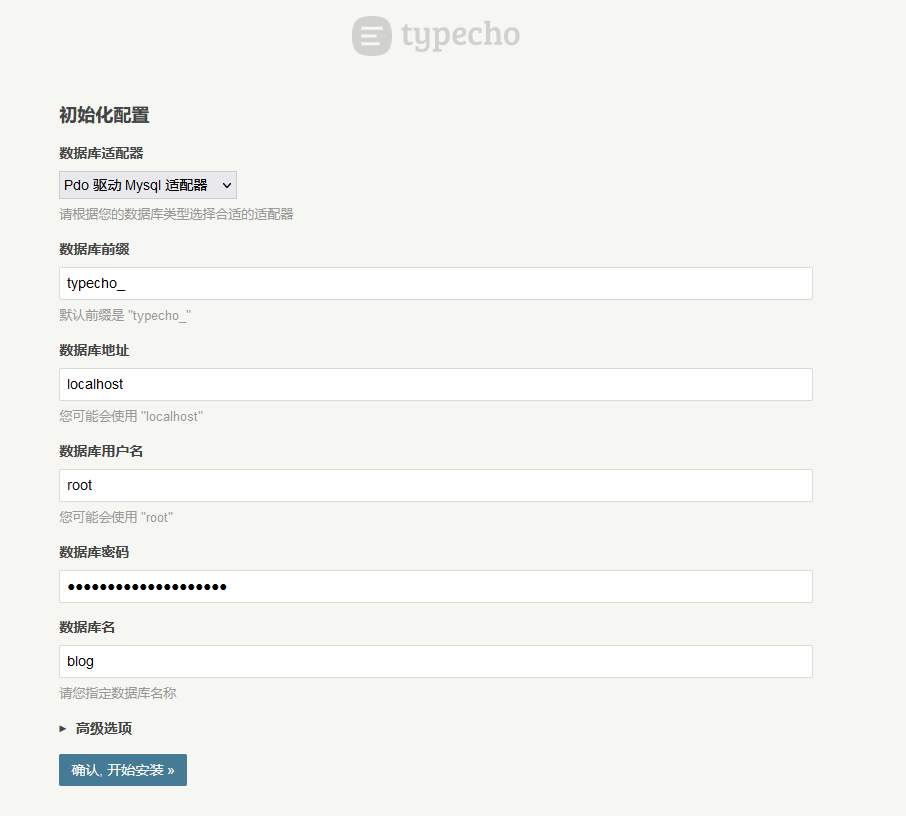
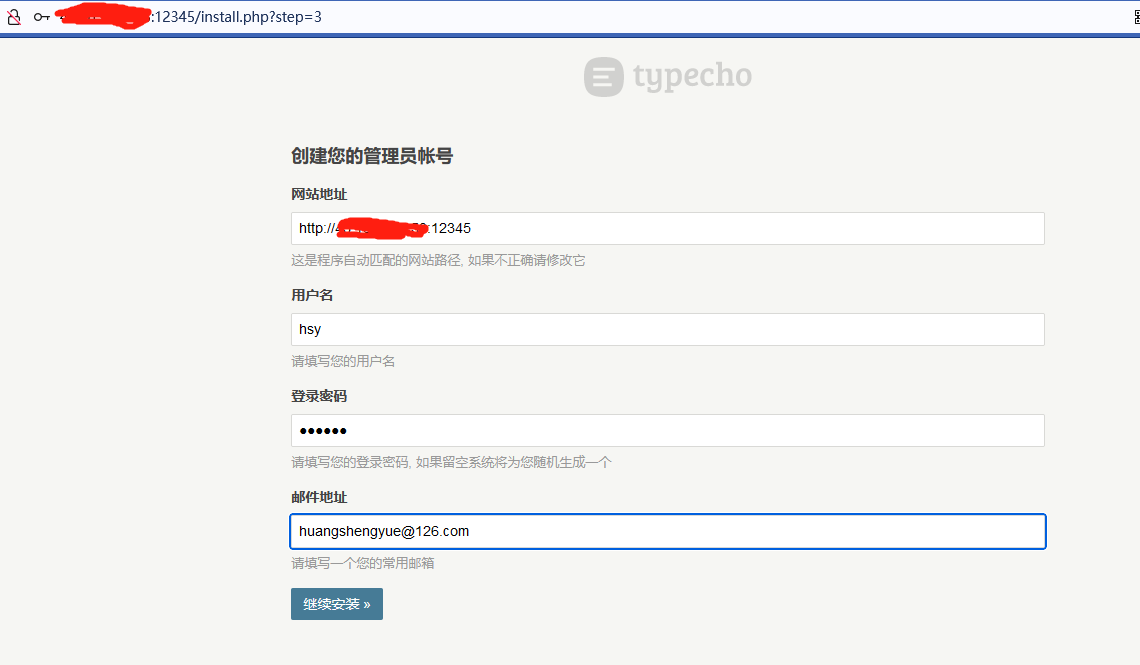
然后就可以访问博客的地址 127.0.0.1:12345开始配置啦,具体地址参照自己的服务

image-20230507011225541
image-20230507011348876
image-20230507011526440

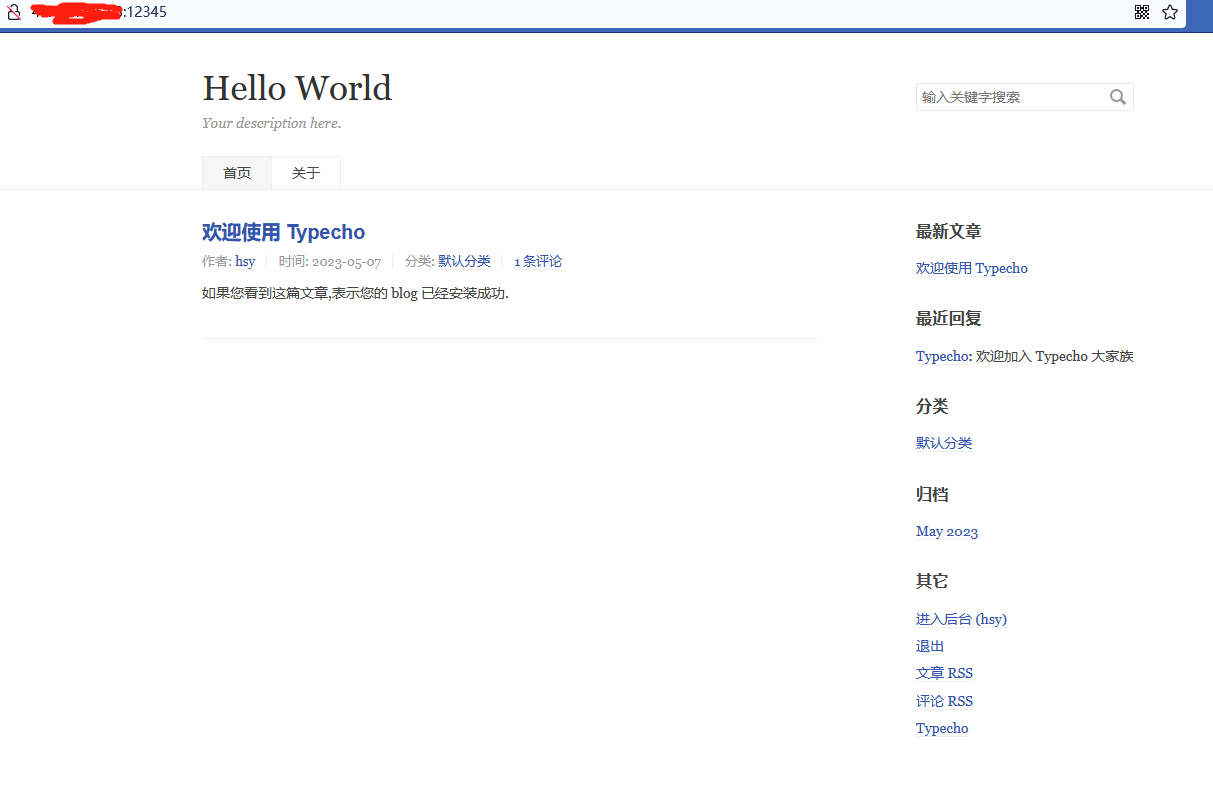
大功告成